Step 1: Set Parameters
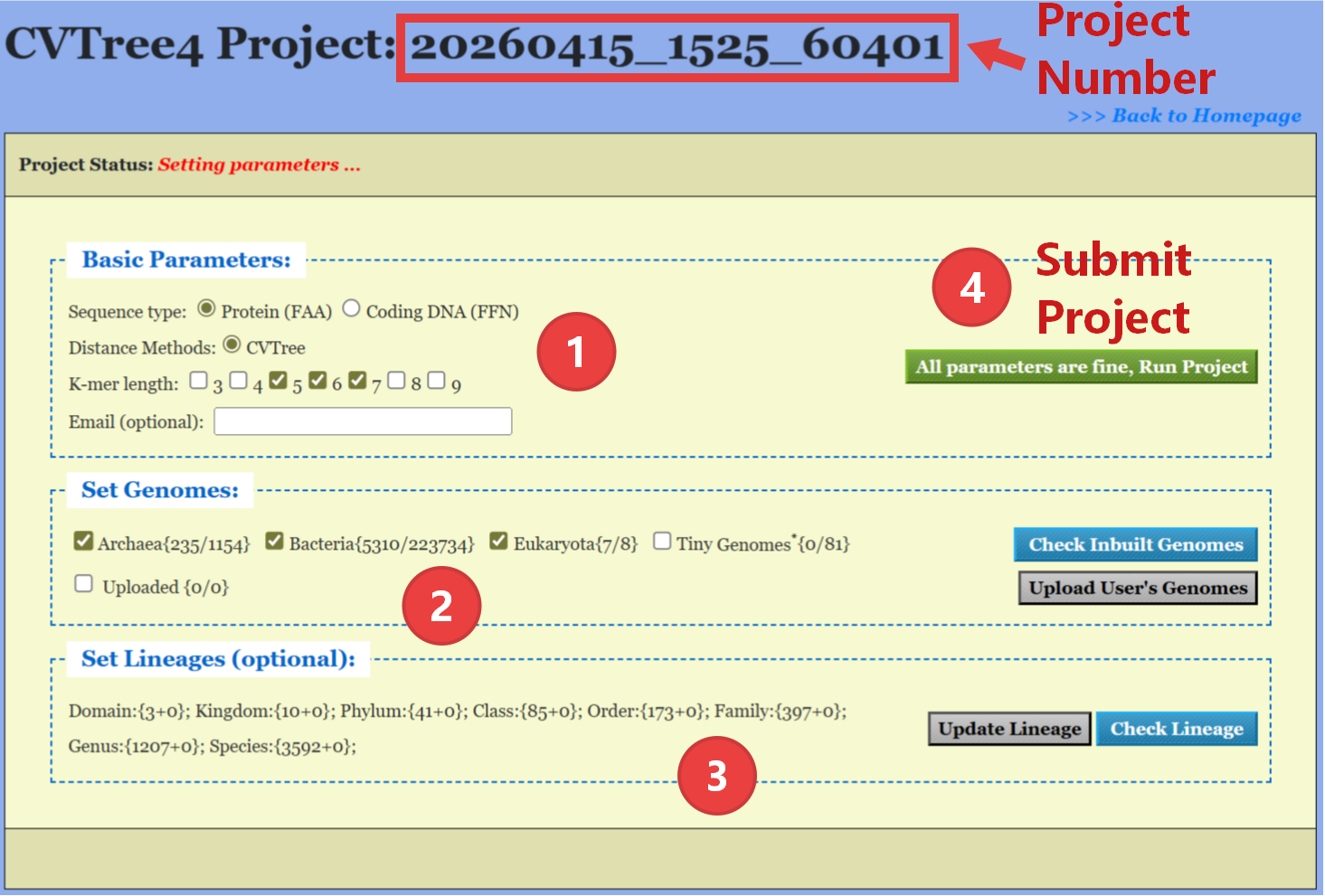
After creating a new project, users can set the project parameters in
the Project Setting Page. The project number is displayed in the
top of the page.
- Basic Parameters: Sequence Type, K-mer Length,and Email (for receiving calculation results, optional).
- Set Genomes: Select or upload the genomes for analysis.
- Set Lineages: Set the lineage information for the selected genomes.
- Submit Project: Click the Submit Project button to start the analysis.