Step 3: Set Lineages
“Set Lineages” is an optional step. By default, the system automatically determines the taxonomic classification of genomes based on their filenames. If users wish to adjust the lineage information manually, they can also do so after generating the phylogenetic tree (see Step 6.1). The settings page displays the count of genomes for each taxonomic category in the project, as shown in the figure below:

Update Lineage: Update the count of genomes for each taxonomic category.Check Lineage: Check and revise the lineage manually.
Step 3.1: Check Lineage
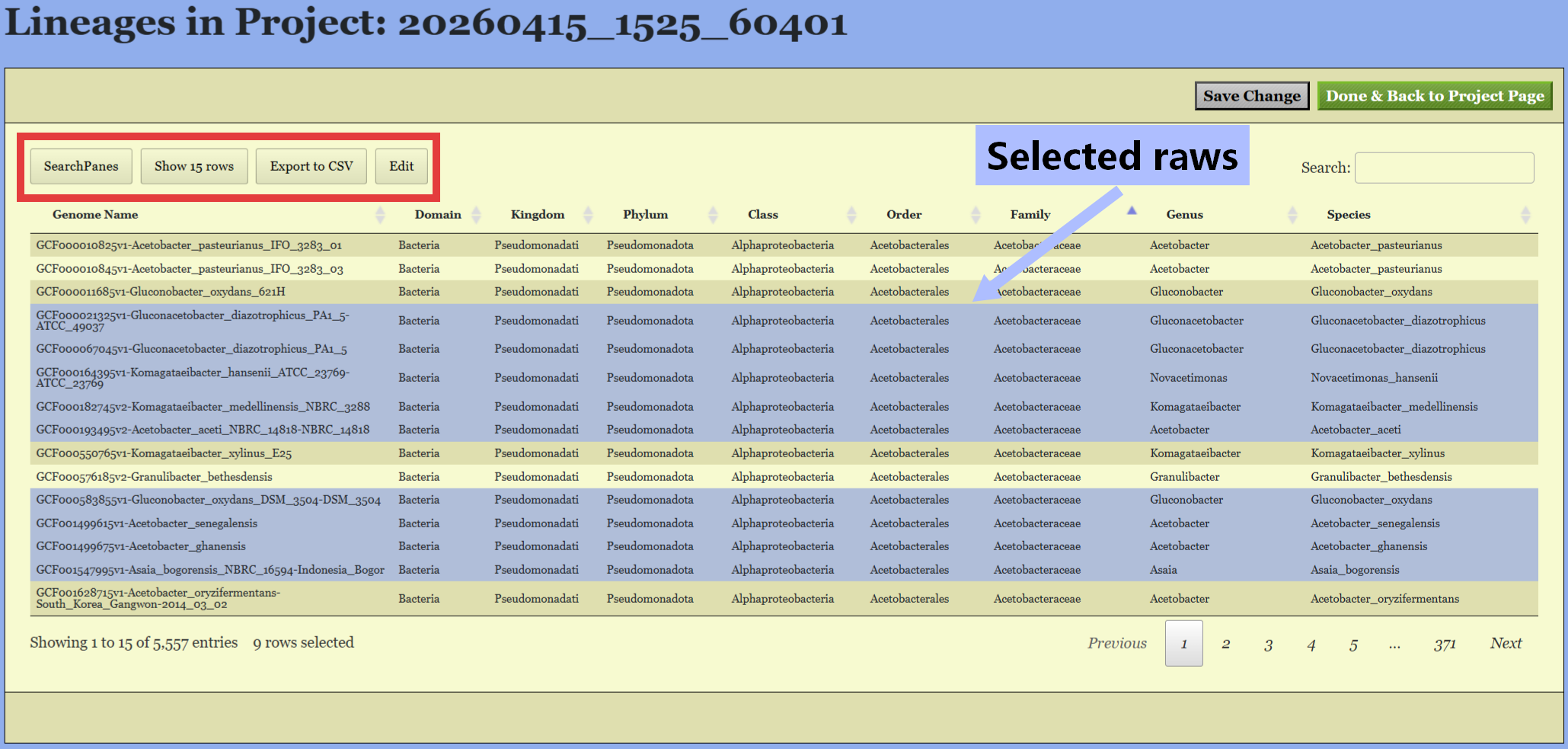
- Click
Check Lineagebutton on above figure will to examine the detail lineage information (see figure below). - Select raws for revision by clicking, multiple selection is allowed.
Step 3.2: Edit Lineage
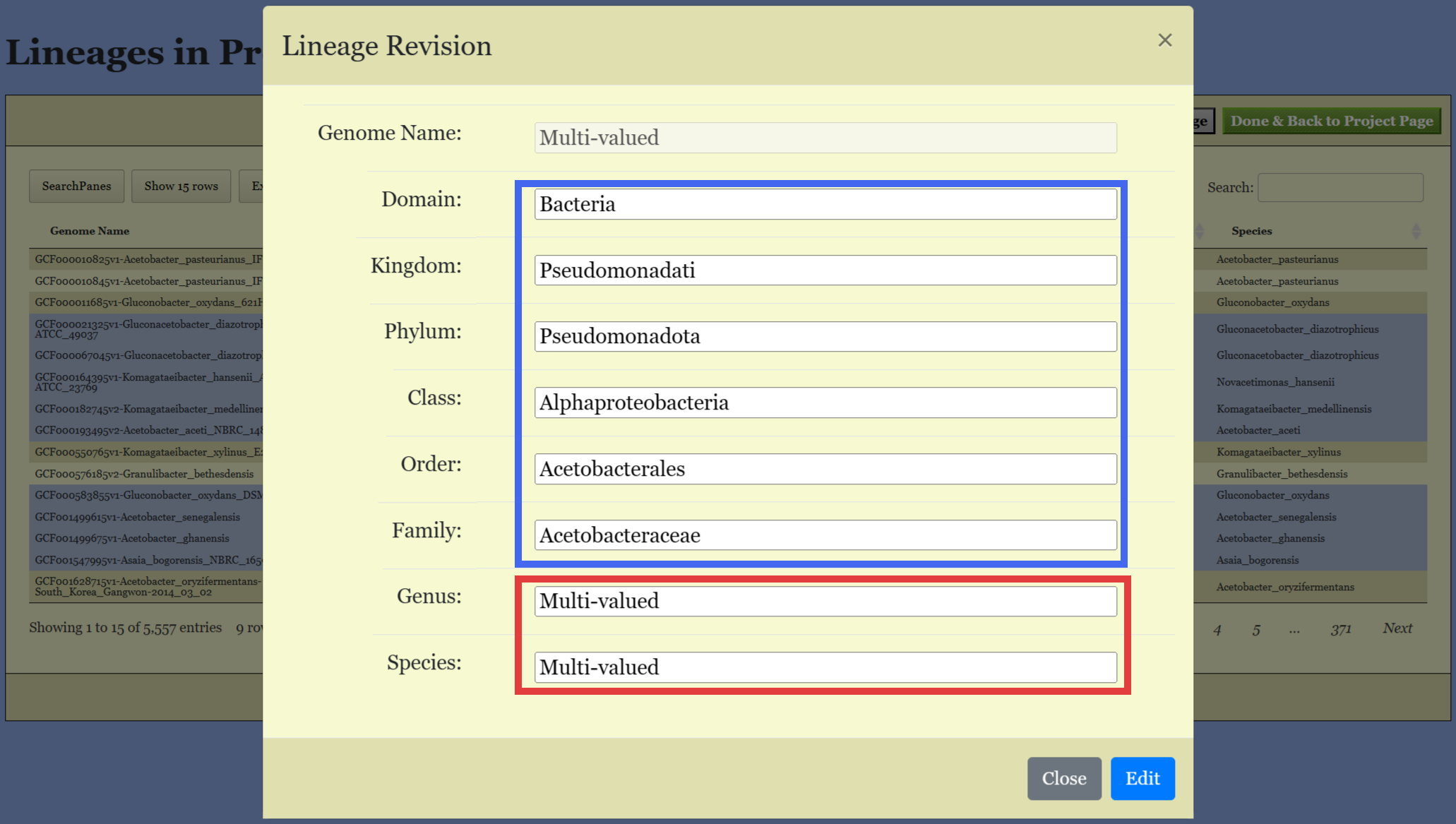
- Edit Lineage: Click the
Editbutton to revise the lineage information of selected genomes. - Change the taxon name in the text box.