Step 2: Set
Genomes

- The built-in genomes are divided into several categories: Archaea,
Bacteria, Eukaryota, and Tiny Genomes.
Step 2.1:
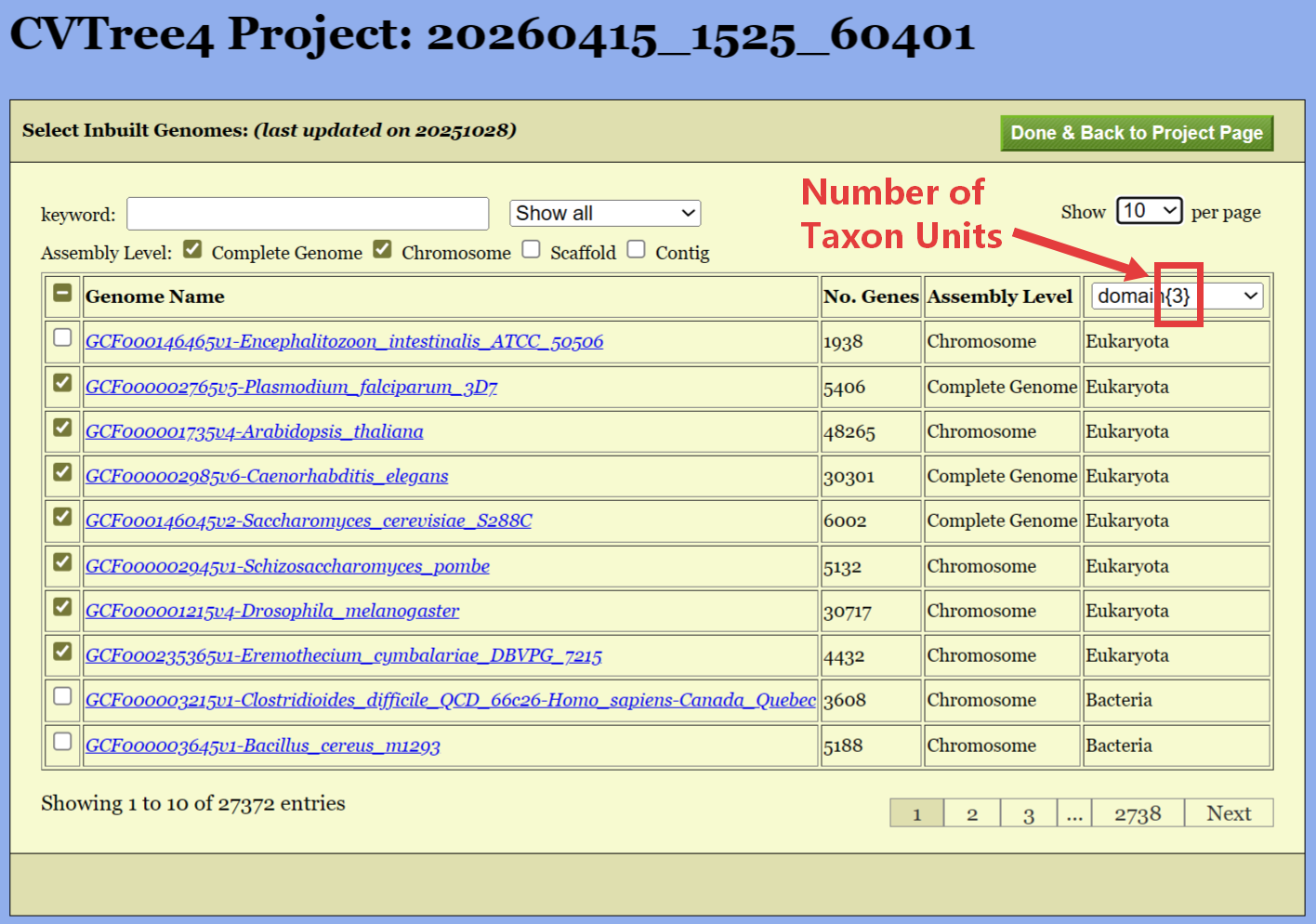
Select Inbuilt Genomes
- Select Inbuilt Genomes: Click the
Check Inbuilt Genome button to enter the Select Inbuilt
Genomes Page.
- Options::
- Check the checkbox for selecting genomes.
- Search for genomes by name or taxonomy.
- Check the assembly status of the genomes for filtering.
Step 2.2:
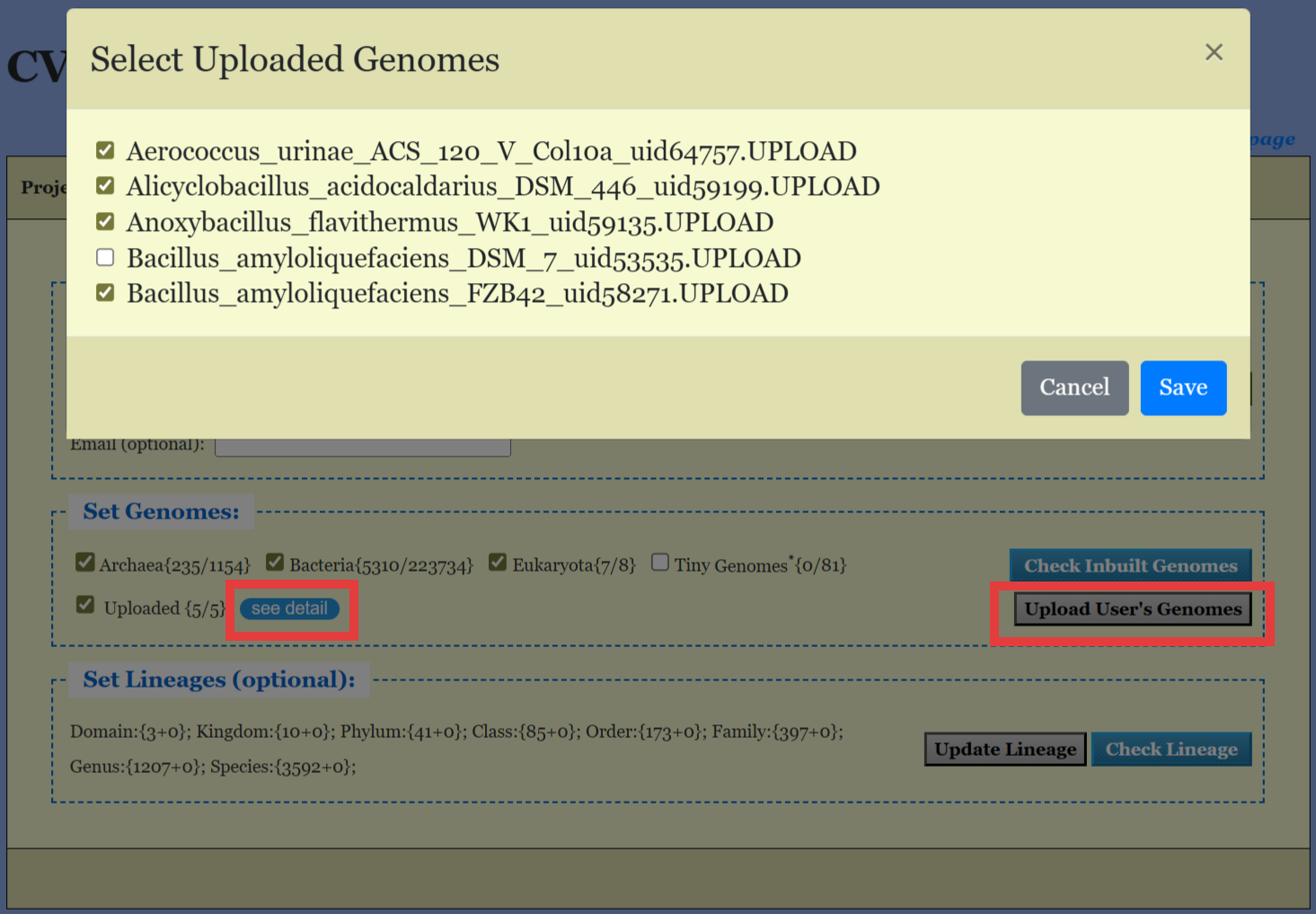
Upload Custom Genomes
- Upload Custom Genomes: Click the
Upload User's Genomes button to select the genome files for
upload.
- Options:
- You can select multiple files at once;
- The file extensions of the uploaded genomes must match the genome
type selected in the Basic Parameters section, i.e., .faa for protein
sequences or .ffn for DNA sequences.
- Select Uploaded Genomes: Click the
See Detail button to select uploaded genomes. This button
will hidden when no genome is uploaded.