Step 5: Taxon
View
Step 5.1:
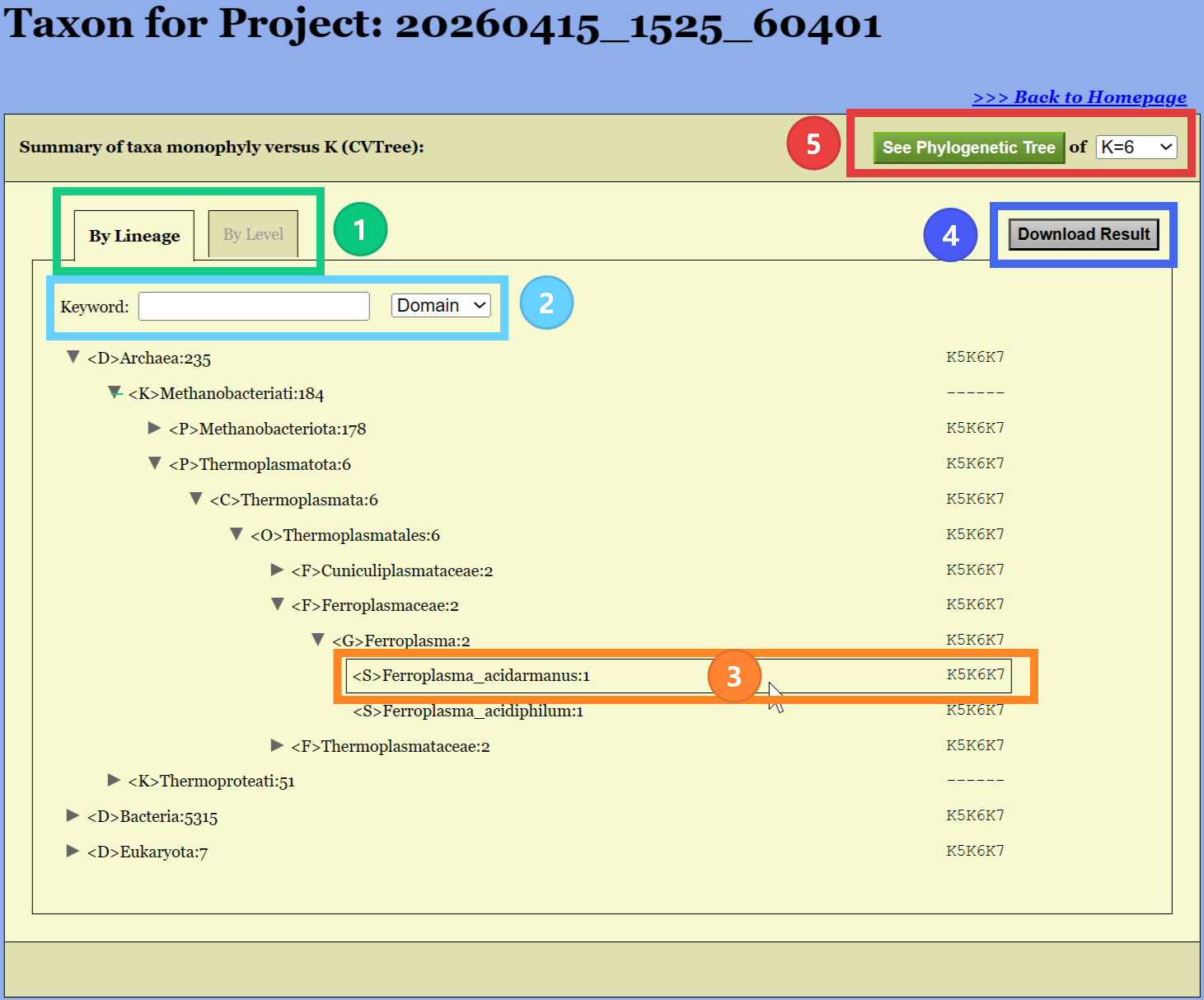
Taxon View by Lineage
- Display mode (Default: by lineage).
- Search taxon to display.
- Node text is:
- Left: <Rank>Name:Count
- Right: Monophyly for different lengths of Kmers
- click
Download Result button to download the result
file.
- Click
See Phylogenetic Tree button to open tree
viewer.
Step 5.2:
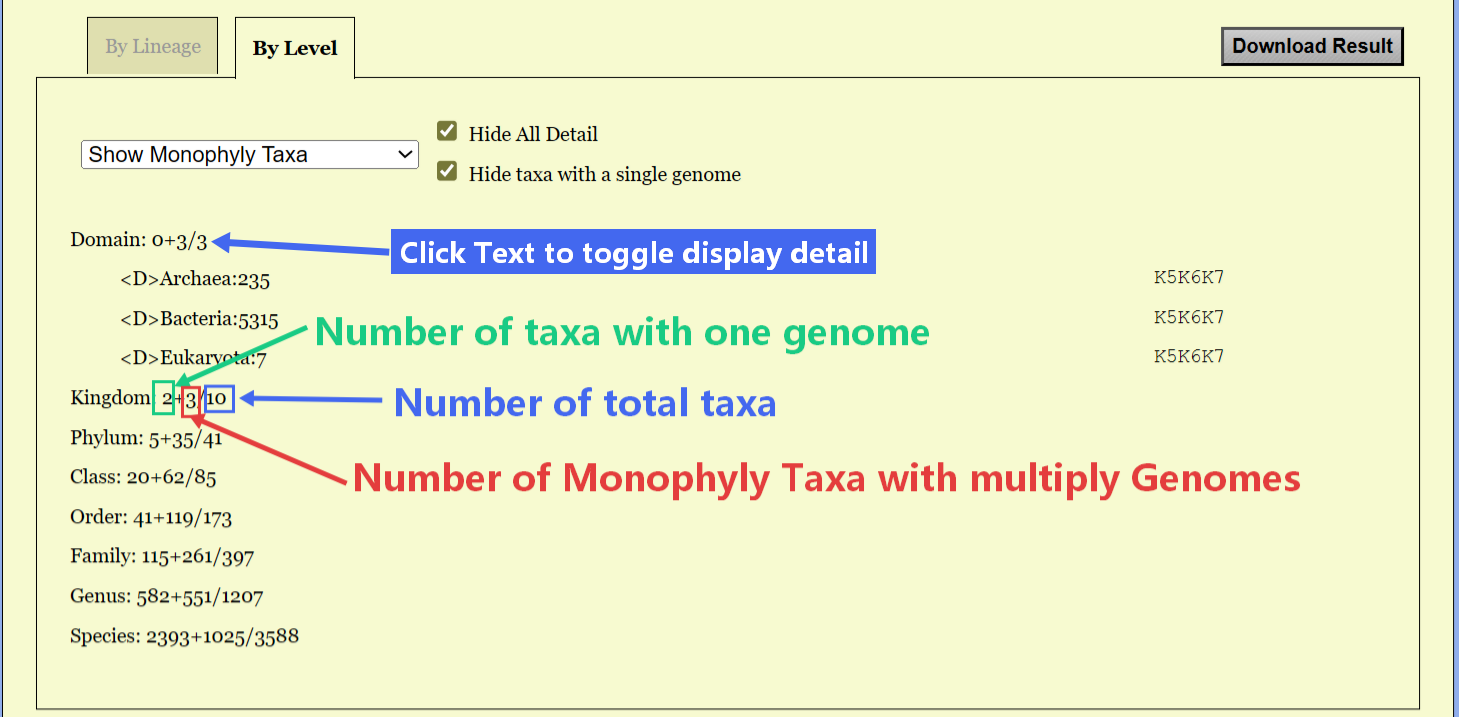
Taxon View by Level
- Click
By Level tab to display the taxon view by
level.
- Show the statistics for each taxonomic level.
- Toggle the display of detailed information by clicking
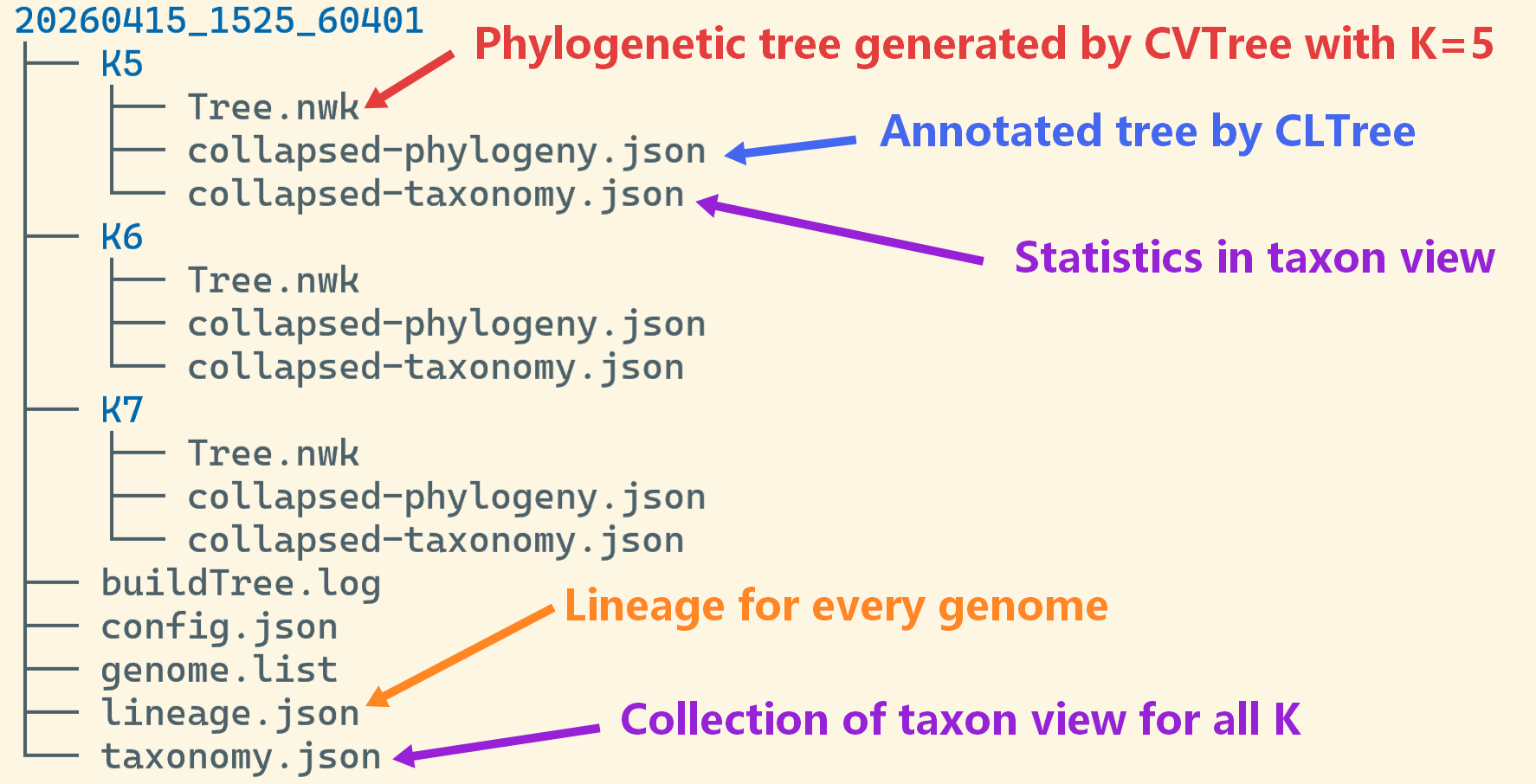
Step 5.3: Download
Result
- Click
Download Result button to download the result
file.
- The downloaded files include those shown in the left figure