Step 6: Tree View
Step 6.1: Interactive TreeView
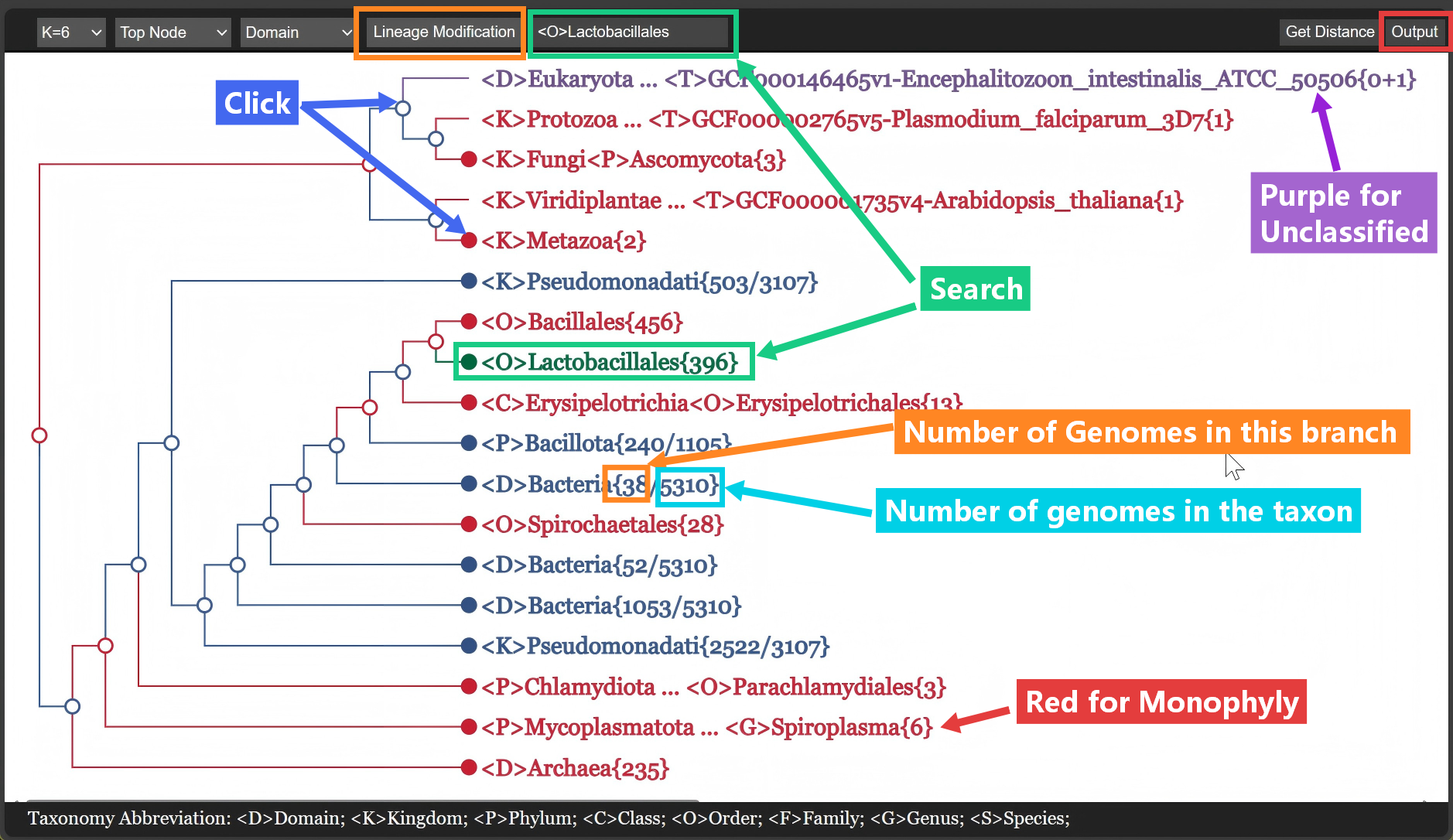
- Tree view:
- Color for node type
- Text for terminal node: <Rank>Name{Count}
- Basic Options:
Click Nodeto open/close the branch.- Search taxon to display
Lineage Modificationbutton to edit the lineage information (Similar to redo Step 3)Outputbutton to draw the tree to output
Step 6.2: Draw Tree to Output
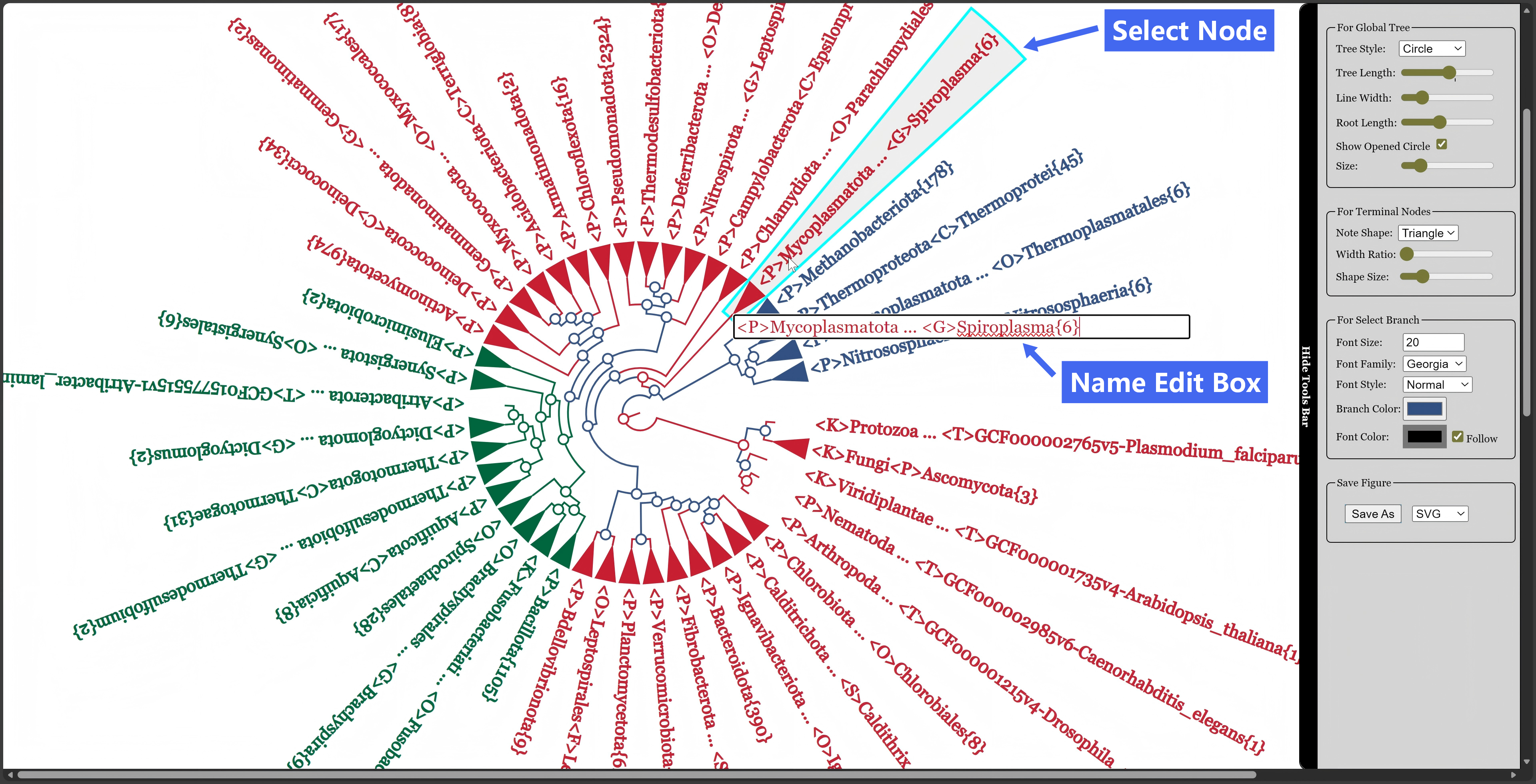
- Revise Tree by options on right sidebar.
Single Clicknode to select branch for revision.Double Clickterminal node to edit name.